Computer Accessories in Egypt
Computer Accessories


Vendor:
UGREEN
Sale priceLE 52,740.00
Title:
Default Title
UGREEN NASync DXP4800 Plus 4-Bay NAS – 8505, 8GB DDR5, 10GbE + 2.5GbE

Vendor:
UGREEN
Sale priceLE 41,255.00
Title:
Default Title
UGREEN NASync DXP4800 4-Bay NAS – N100, 8GB DDR5, 2×2.5GbE, Diskless

Vendor:
UGREEN
Sale priceLE 1,164.00
Title:
Default Title
UGREEN 2.5" USB 3.1 Gen 2 Type-C Hard Drive Enclosure, Type C TO Type C

Vendor:
UGREEN
Sale priceLE 1,209.00
Title:
Default Title
UGREEN 2.5-Inch SATA External Hard Drive Enclosure, USB 3.0 TO Type C

Vendor:
UGREEN
Sale priceLE 1,533.00
Title:
Default Title
UGREEN CM400 10902 M.2 NVMe SSD Enclosure – USB-C, 10Gbps

Vendor:
UGREEN
Sale priceLE 12,687.00
Title:
Default Title
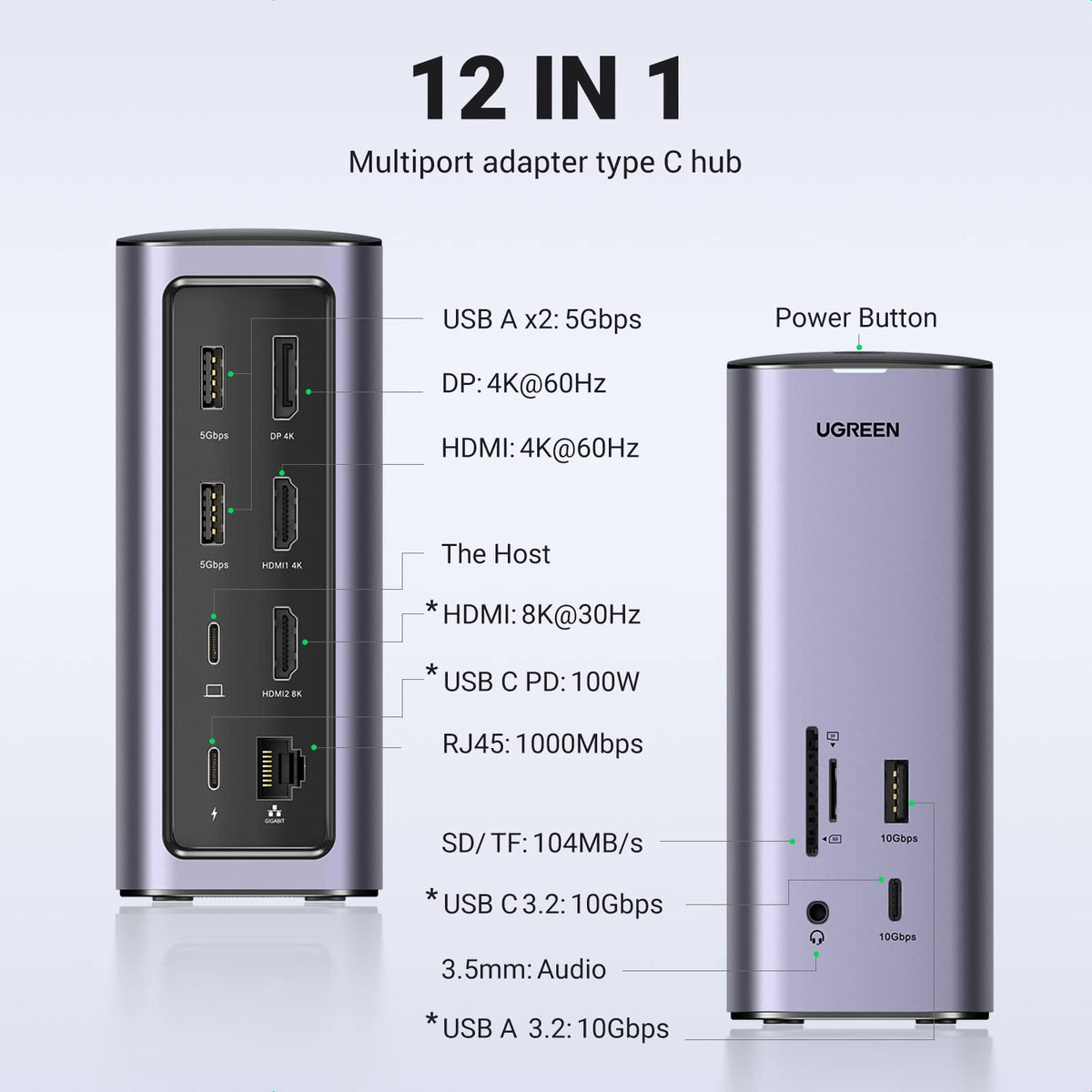
UGREEN 12-in-1 USB-C Triple-Display Dock | 8K, 10Gbps, 100W PD


Vendor:
UGREEN
Sale priceLE 729.00
Title:
Default Title
UGREEN CM430 60622 DisplayPort Switch 2-in-1-out – 4K


Vendor:
UGREEN
Sale priceLE 4,617.00
Title:
Default Title
UGREEN X-KIT Laptop Stand USB-C Dock – HDMI 4K, USB & SD/TF


Vendor:
UGREEN
Sale priceLE 688.00
Title:
Default Title
UGREEN 2 Port VGA input to 1 port VGA output + USB A For Power (Black)


Vendor:
UGREEN
Sale priceLE 347.00
Title:
Default Title
UGREEN Mini DP To VGA Female Converter without audio

Vendor:
UGREEN
Sale priceLE 810.00
Title:
Default Title
UGREEN Mini DP to HDMI/VGA/DVI Converter (White)

Vendor:
UGREEN
Sale priceLE 625.00
Title:
Default Title
UGREEN Mini DP to HDMI + VGA Converter (Silver)


Vendor:
UGREEN
Sale priceLE 746.00
Title:
Default Title
UGREEN Mini DP to HDMI/VGA/DVI Converter (Black)


Vendor:
UGREEN
Sale priceLE 119.00
Title:
Default Title
UGREEN Mini HDMI Male to HDMI Female Adapter (Black)

Vendor:
UGREEN
Sale priceLE 143.00
Title:
Default Title
UGREEN Micro HDMI + Mini HDMI Male to HDMI Female Adapter
Shop computer accessories in Egypt for work, study and gaming, including mice, keyboards, headsets, webcams, hubs, stands, cables and other PC and laptop accessories.
Build your desk setup by task
- For typing and navigation, browse mice, keyboards and combos.
- For calls and meetings, compare webcams and check the connection required by your headset.
- For extra ports and displays, explore USB hubs and adapters and converters.
- For drive connections and file storage, see storage enclosures and NAS products.
- For recording an HDMI video source on a computer, see the UGREEN CM489 40189 video capture card. Check capture specifications and software compatibility before choosing.
Compare individual accessories
Explore the UGREEN M571 / M571P vertical mouse and Logitech H390 USB headset. Check the exact version, connector and compatibility on each product page. A Bluetooth model, USB-receiver model and wired model may require different computer connections.
For the required leads, browse cables. Match the computer ports and operating system before choosing your accessories.
For a wired connection to your router or local network, browse Ethernet cables and USB network adapters. Match the adapter to your computer's USB-A or USB-C port and check operating-system support.

